

Not sure whether to use a Reply event or a Command event? Use Reply when the trigger comes from inside the chat (the user types or clicks something). Use Command when the trigger comes from outside the chat (a button on your website, an external webhook, etc.).
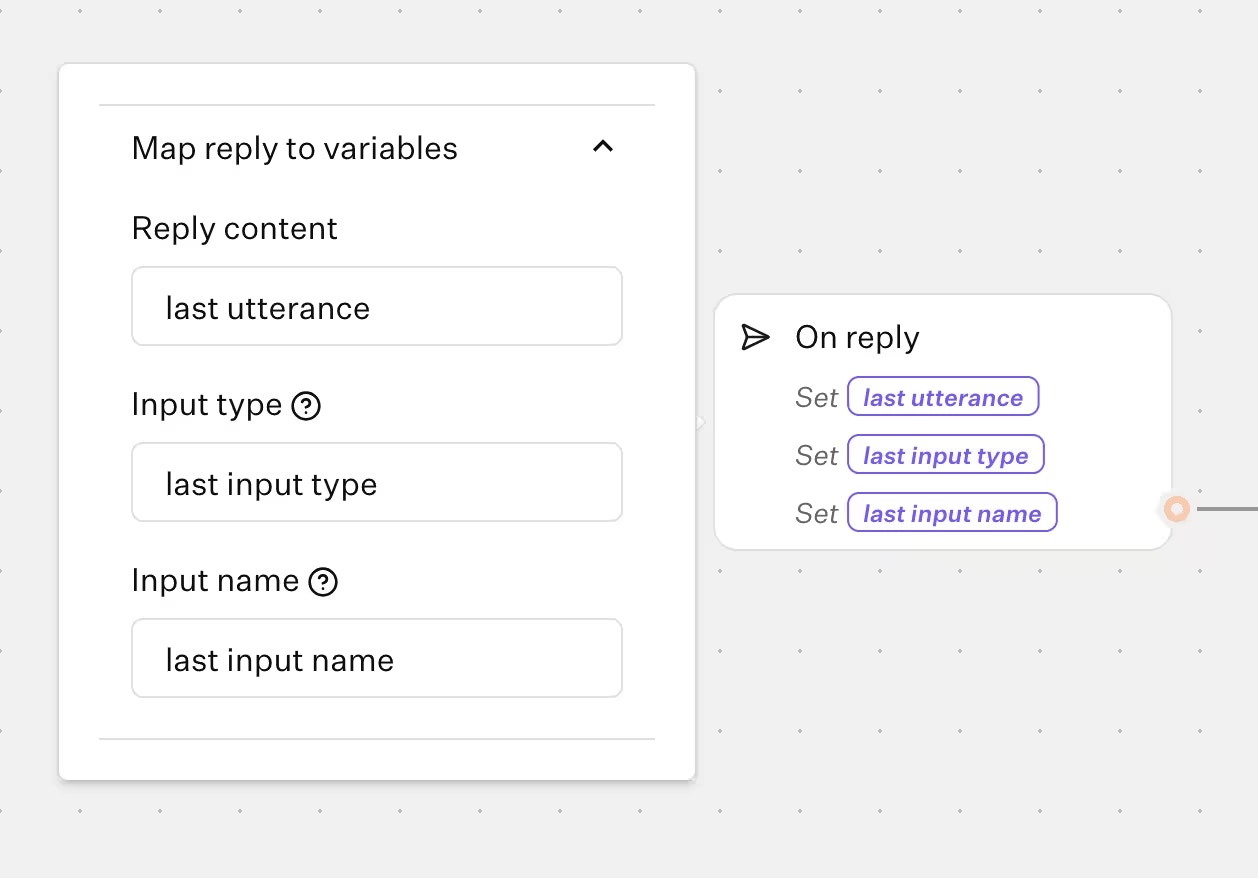
Variable mapping
- Reply content: The content of the reply.
- Input type: The type of the current input. Can be
text,number,email,url,date,time,phone,buttons,picture choice,payment,rating,file,cards. - Input name: The name of the current input. If a variable is attached to the input, it will be the name of the variable. Otherwise, it will be the title of the group.
Return to main flow
By default, when an event is executed, the session will end and not return to the main flow. Use a Return block to return to the main flow. This allows you to have the flexibility to conditionally end the session.Example use cases
- Automatically end the session if the user replies with “end”, “exit”, “quit”.
- Automatically trigger a feedback collection flow whenever a user replies with specific keywords like “feedback” “suggestion” or “comment”.
- Implement user commands like
restartorhelp. See the user commands guide for a step-by-step recipe.