

Upgrade plan
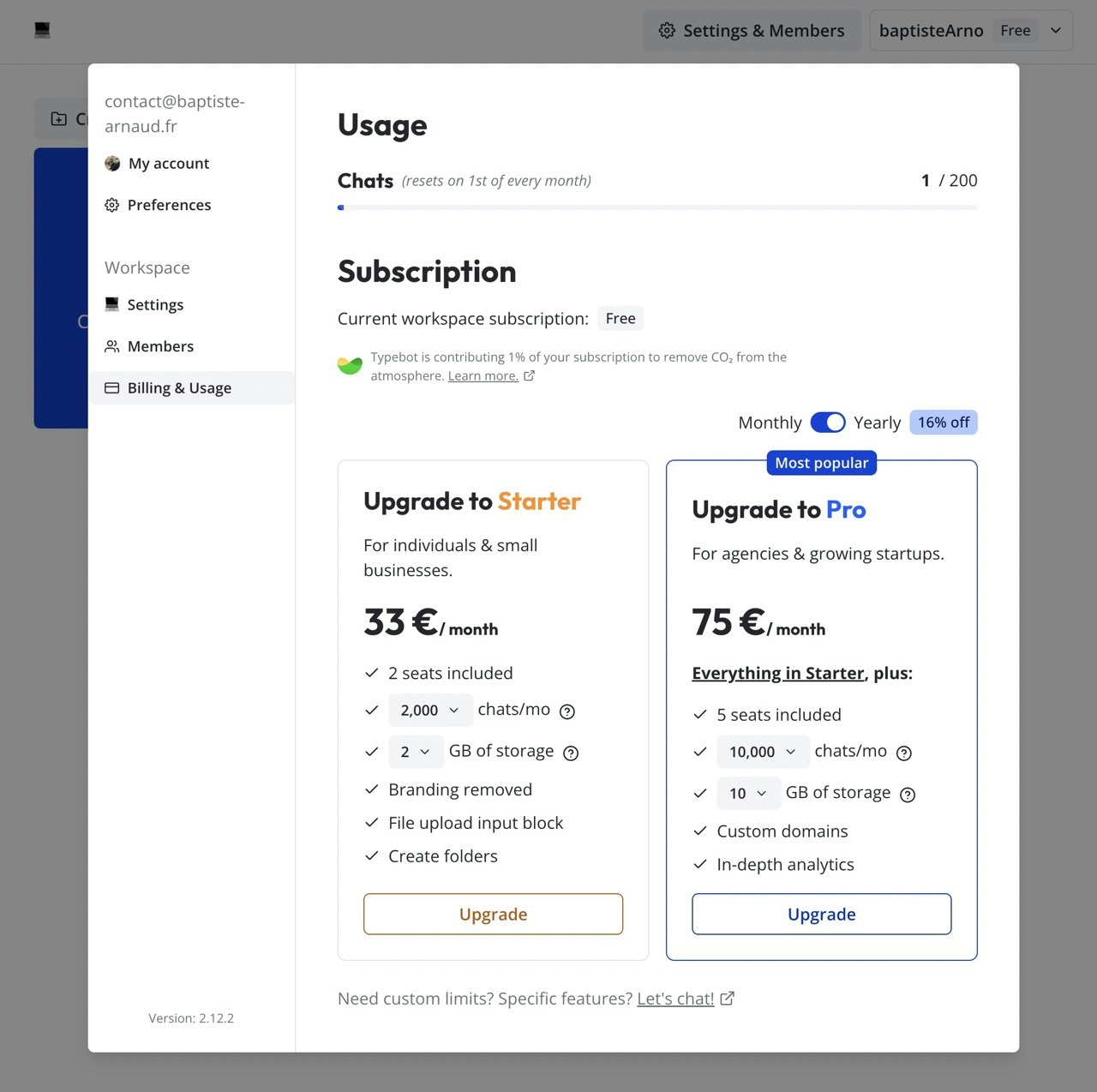
In order to upgrade your workspace plan and increase your monthly limits, you need to open theSettings & Members modal in your homepage and navigate on the Billing & Usage tab.
This tab displays your bots total usage, your current plan and paid invoices.
Cancel or downgrade plan
To cancel or downgrade your workspace plan:1
Open workspace settings
From your homepage, open the
Settings & Members modal.2
Go to Billing & Usage
Navigate to the
Billing & Usage tab.3
Open the billing portal
Click the
Billing portal button. This redirects you to the Stripe-hosted billing portal.4
Cancel the subscription
From the billing portal you can cancel your subscription or switch to a different plan.
Add a VAT ID for B2B reverse charge
If you are a VAT-registered business in the EU (outside of France), you can add your VAT ID to your billing details so that future invoices are issued under the reverse charge mechanism, without VAT.1
Open the billing portal
From your homepage, open the
Settings & Members modal, navigate to the Billing & Usage tab and click Billing portal.2
Update your billing information
In the billing portal, click
Update information in the billing details section.3
Add your VAT ID
Click
Add tax ID, pick your country prefix (for example EU VAT) and paste your VAT number, then save.Adding a VAT ID only affects future invoices. Past invoices cannot be reissued without VAT, even after a valid VAT ID is added. Add your VAT ID before your next renewal to make sure the reverse charge is applied.
Free plan limits
When your workspace is on the Free plan, the following limits apply:- 200 chats per month. A chat is counted once a user starts a conversation with your bot. Additional messages from the same user within the same session do not count.
- 1 seat. You cannot invite members to a Free workspace. To collaborate with others, upgrade to Starter or above.