

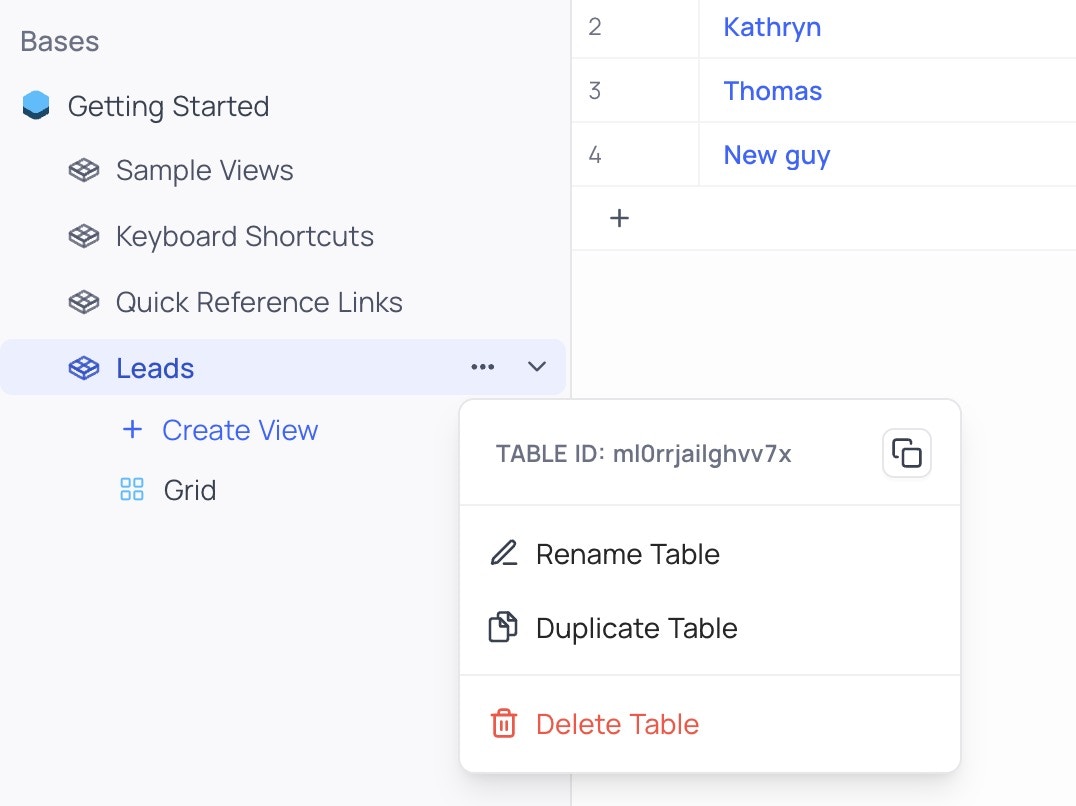
How to find my Table ID?
To find your Table ID, you need to go to your NocoDB dashboard and click on the 3 dots button next to your table name.
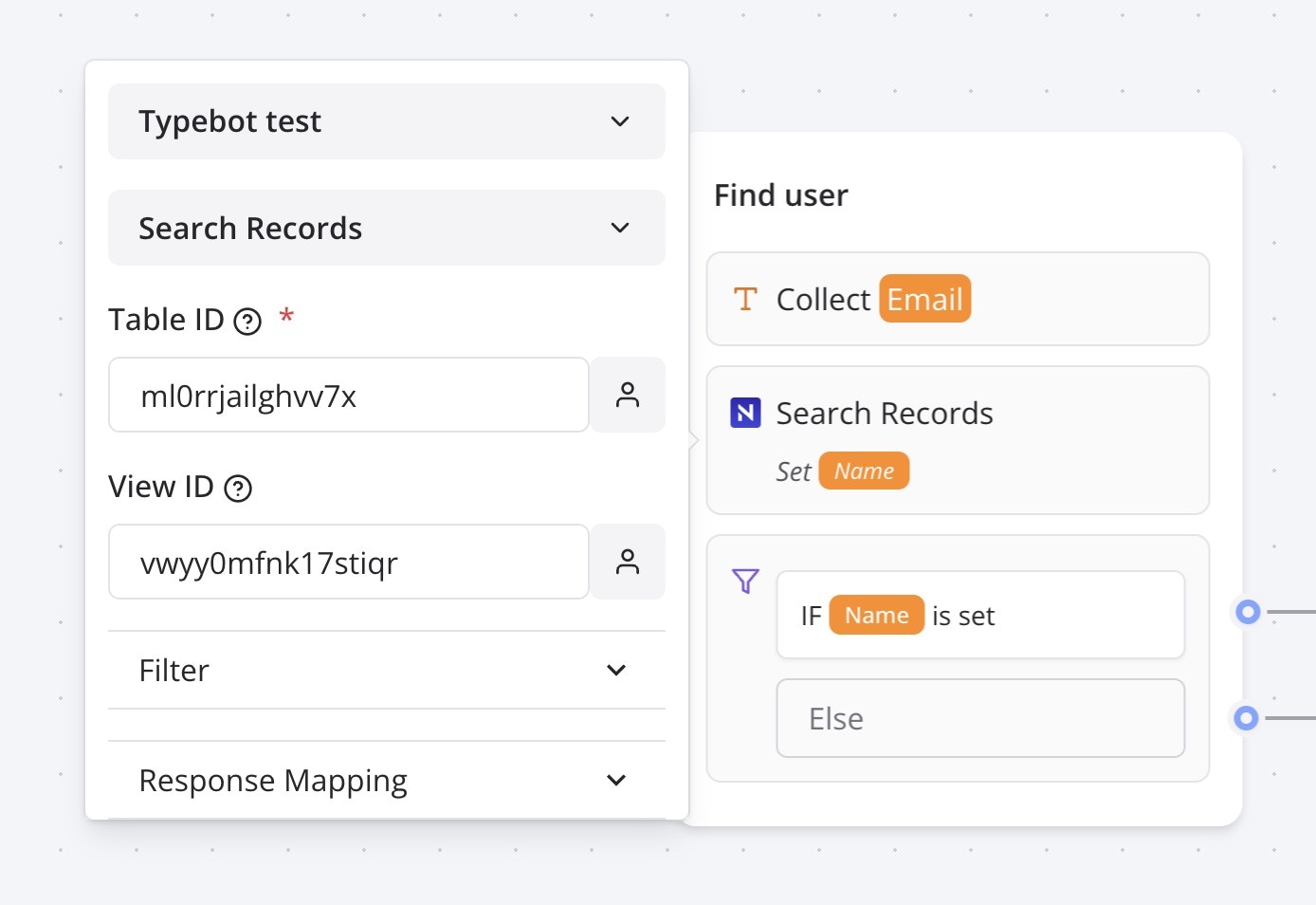
Search Records
This action allows you to search for existing records in a table. It requires yourTable ID and can optionally take a View ID to search in a specific view.
All, First, Last or Random found records.
Then all you need to do is to map the found fields to variables that you can re-use on your bot.