> ## Documentation Index
> Fetch the complete documentation index at: https://docs.typebot.com/llms.txt
> Use this file to discover all available pages before exploring further.
# Add a subscriber to MailerLite
1. Add a step that collects the email and set it into a variable
2. Add a Webhook step
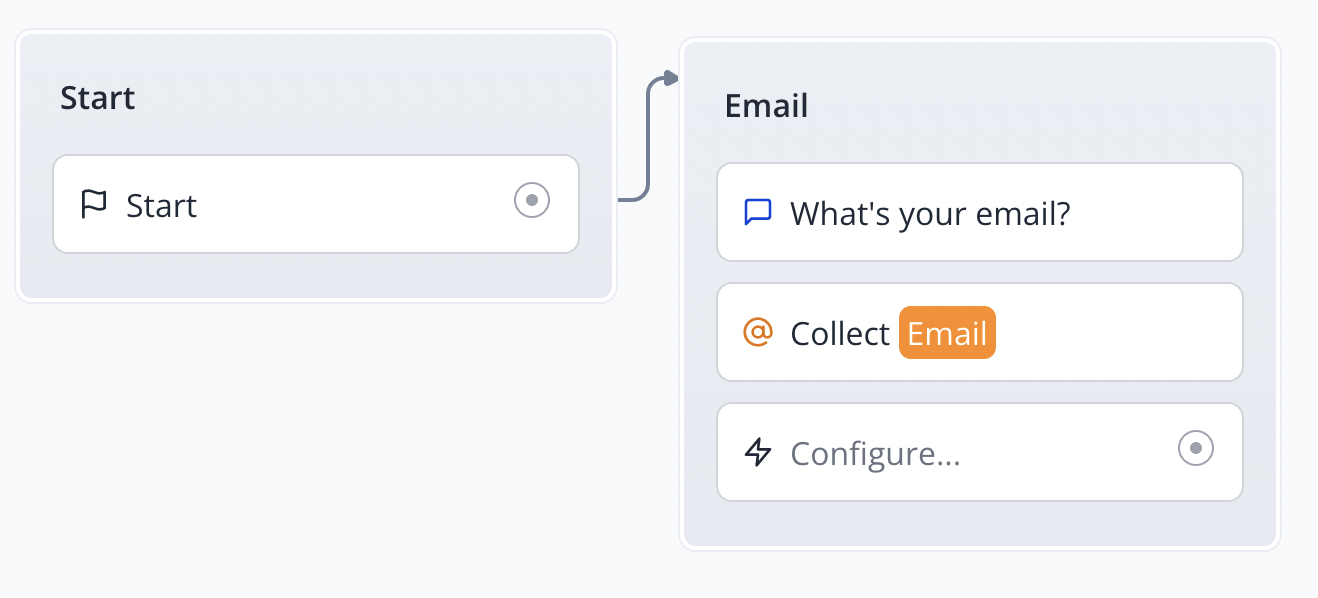 3. Configure the Webhook step with the following information:
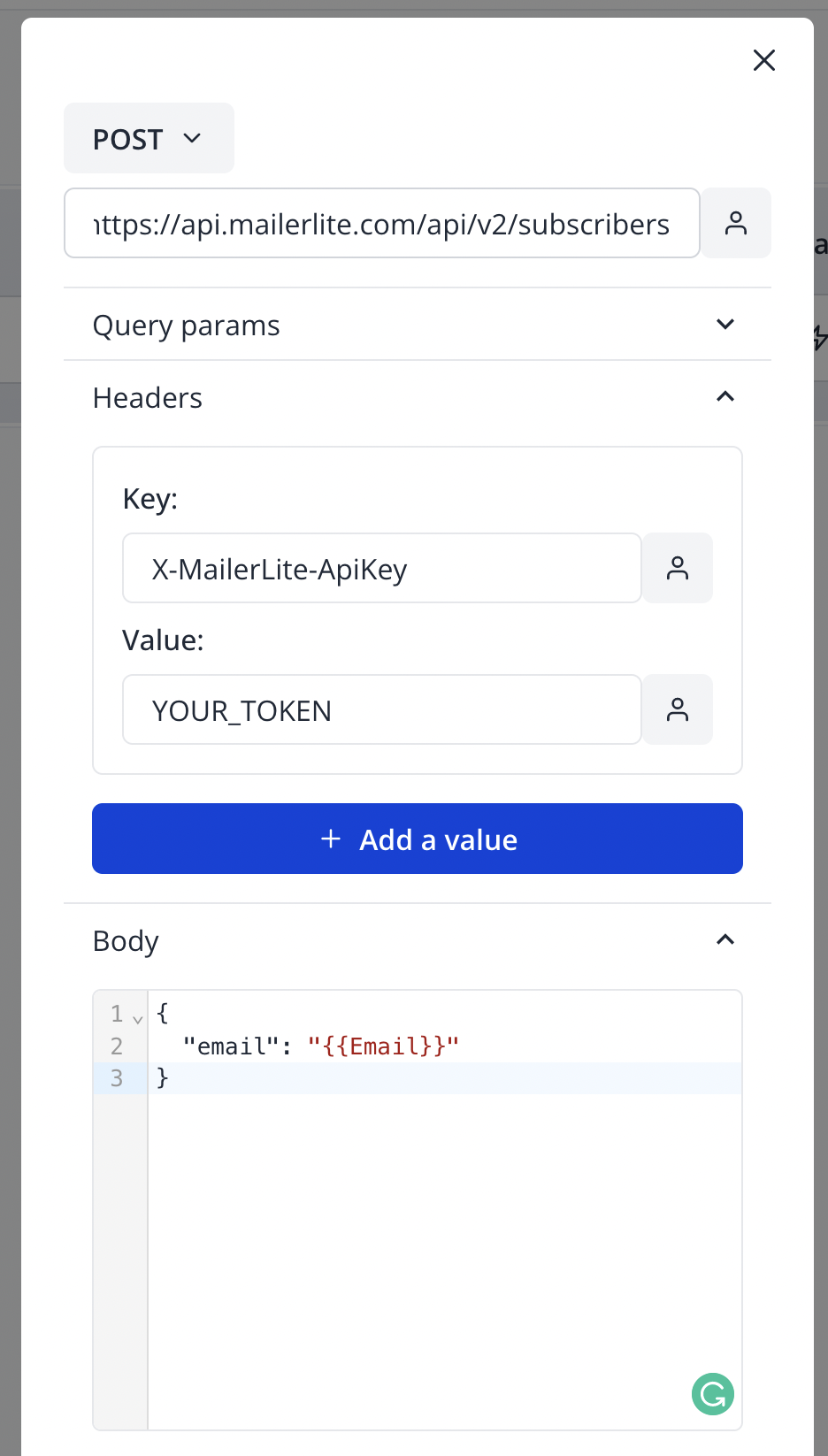 For more info on what fields you can add: [https://developers.mailerlite.com/reference/create-a-subscriber](https://developers.mailerlite.com/reference/create-a-subscriber)
4. Replace "YOUR\_TOKEN" with your API key. It can be found here: [https://app.mailerlite.com/integrations/api/](https://app.mailerlite.com/integrations/api/)
5. Whenever the user enters his email it should add it to your subscribers' list on MailerLite
For more info on what fields you can add: [https://developers.mailerlite.com/reference/create-a-subscriber](https://developers.mailerlite.com/reference/create-a-subscriber)
4. Replace "YOUR\_TOKEN" with your API key. It can be found here: [https://app.mailerlite.com/integrations/api/](https://app.mailerlite.com/integrations/api/)
5. Whenever the user enters his email it should add it to your subscribers' list on MailerLite