> ## Documentation Index
> Fetch the complete documentation index at: https://docs.typebot.com/llms.txt
> Use this file to discover all available pages before exploring further.
# Google Analytics
The Google Analytics integration block allows you to track a Google Analytics event at a given moment in your flow.
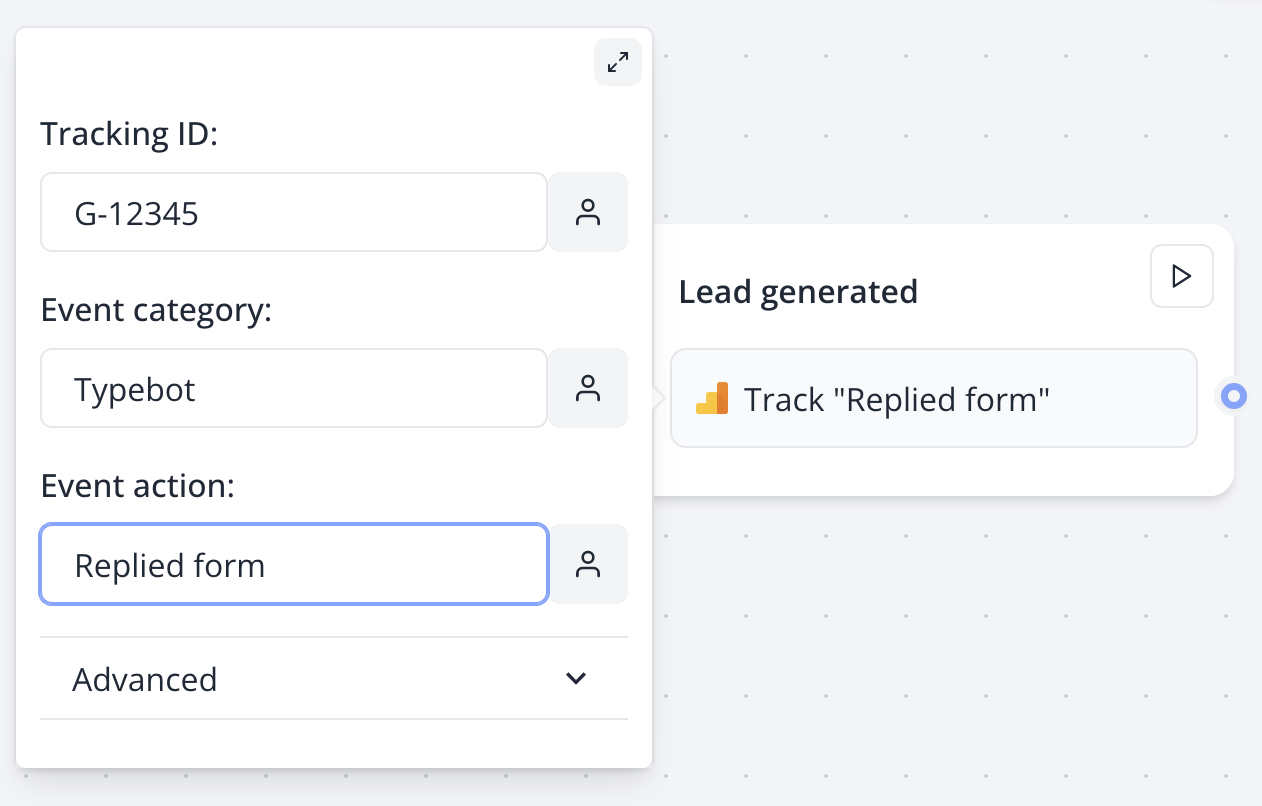 When your flow contains a Google Analytics block, under the hood it:
* Initialize GA and track a "Page view" event on page load.
* Track the event if any when the block is executed.
## Track conversions with Google Ads
To track conversions for your Google Ad, you can add a Google Analytics block whenever you'd like to trigger the conversion event with the following properties:
* Event action: conversion
* Send to: \
* Value (optional): a number to quantify the conversion
## Troubleshooting
To help you debug how your Google Analytics behaves, I suggest you add the [Google Analytics Debugger](https://chrome.google.com/webstore/detail/google-analytics-debugger/jnkmfdileelhofjcijamephohjechhna) extension to your browser.
When your flow contains a Google Analytics block, under the hood it:
* Initialize GA and track a "Page view" event on page load.
* Track the event if any when the block is executed.
## Track conversions with Google Ads
To track conversions for your Google Ad, you can add a Google Analytics block whenever you'd like to trigger the conversion event with the following properties:
* Event action: conversion
* Send to: \
* Value (optional): a number to quantify the conversion
## Troubleshooting
To help you debug how your Google Analytics behaves, I suggest you add the [Google Analytics Debugger](https://chrome.google.com/webstore/detail/google-analytics-debugger/jnkmfdileelhofjcijamephohjechhna) extension to your browser.