> ## Documentation Index
> Fetch the complete documentation index at: https://docs.typebot.com/llms.txt
> Use this file to discover all available pages before exploring further.

# Rating

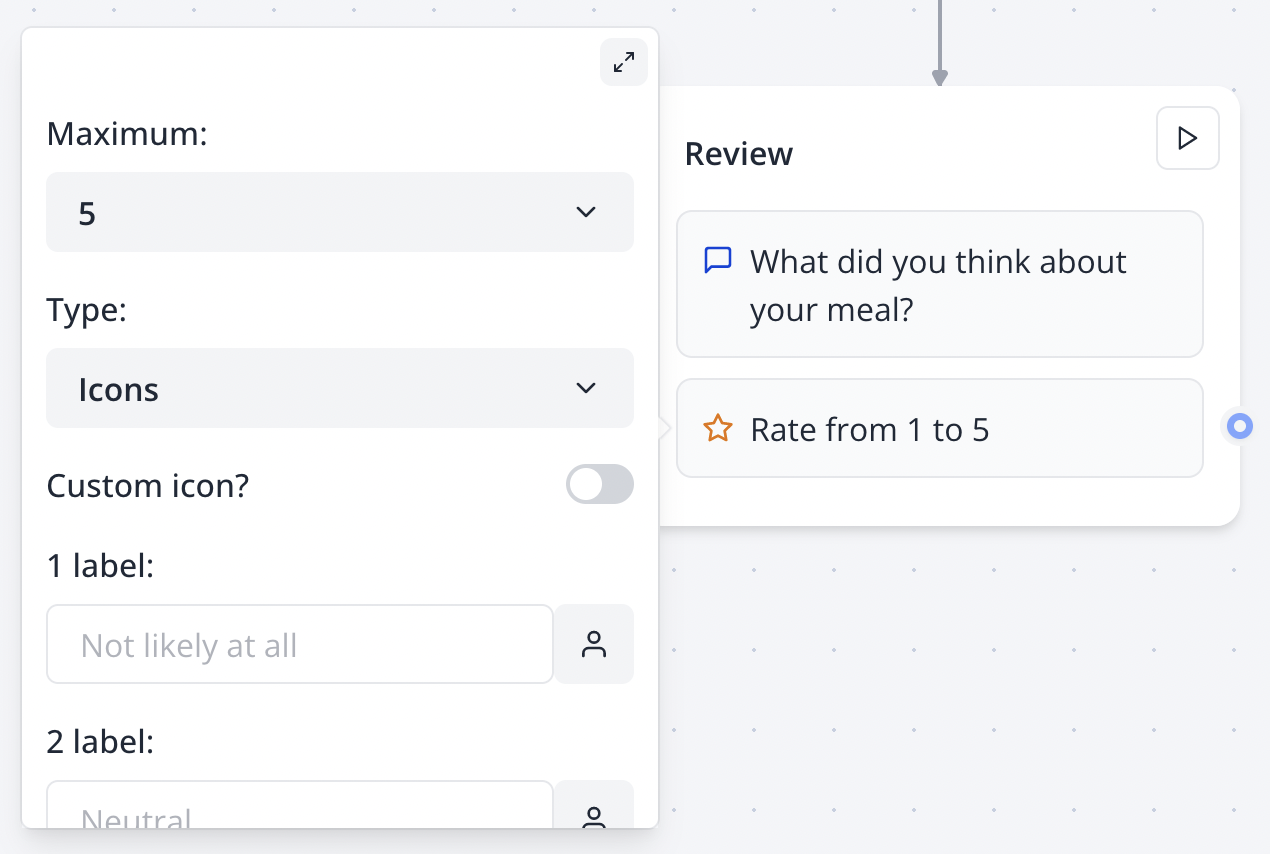
The Rating input block allows you to ask your user for a rating.

<Tabs>
  <Tab title="Flow">
    <Frame>
      <img src="https://mintcdn.com/typebot/_A9p16JCEDI2EkLF/images/blocks/inputs/rating-flow.png?fit=max&auto=format&n=_A9p16JCEDI2EkLF&q=85&s=5ed190771be58d0fb991d245fe90db2d" alt="Rating input in flow" className="rounded-lg" width="1270" height="854" data-path="images/blocks/inputs/rating-flow.png" />
    </Frame>
  </Tab>

  <Tab title="Bot">
    <Frame>
      <img src="https://mintcdn.com/typebot/_A9p16JCEDI2EkLF/images/blocks/inputs/rating-bot.png?fit=max&auto=format&n=_A9p16JCEDI2EkLF&q=85&s=7c94dbe0ef6da30dc2563e1a06b5c50f" alt="Rating input in bot" className="rounded-lg" width="754" height="388" data-path="images/blocks/inputs/rating-bot.png" />
    </Frame>
  </Tab>
</Tabs>

The rating input is very customizable, you can set a custom range, numbers or a custom icon, and bottom labels.

## NPS

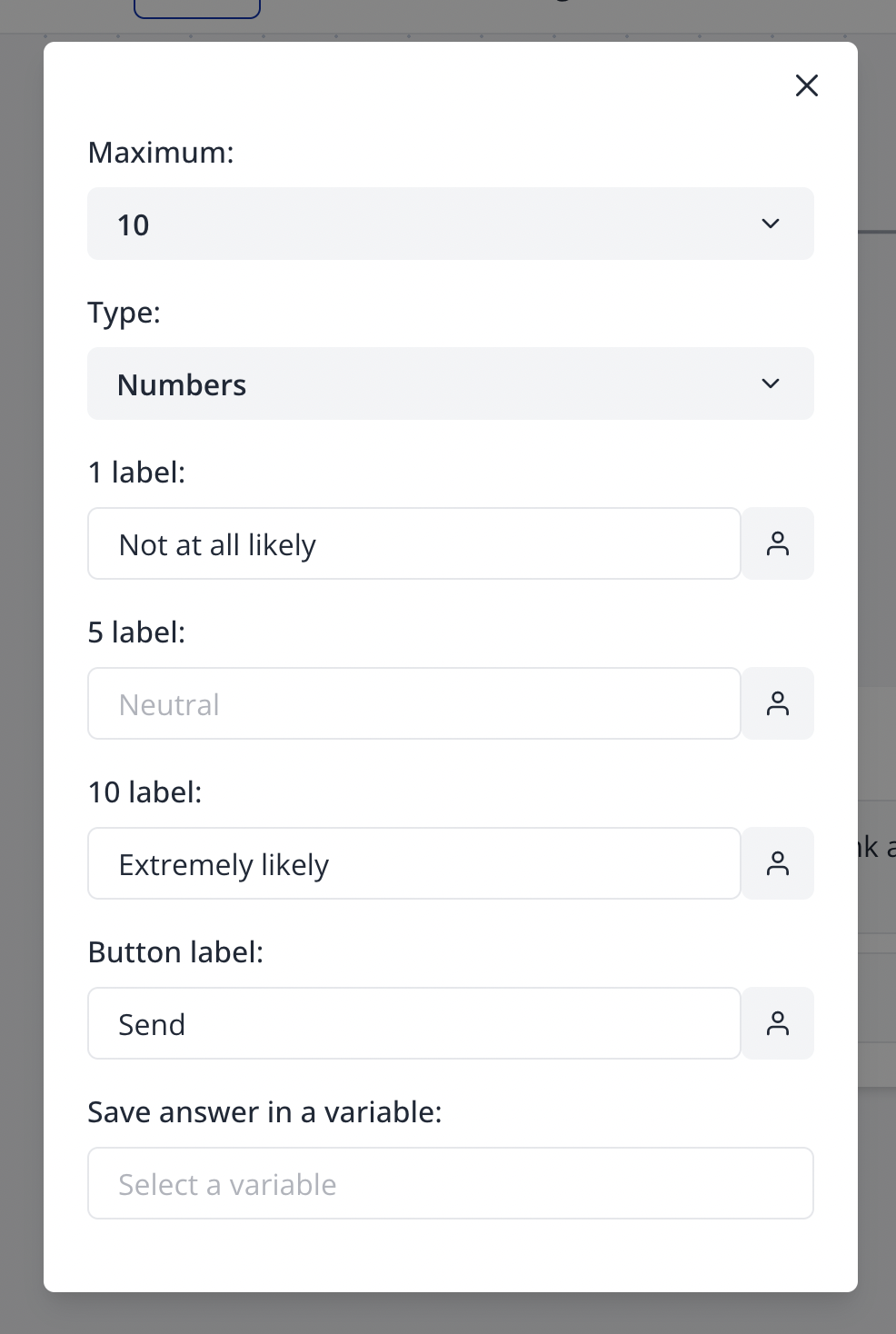
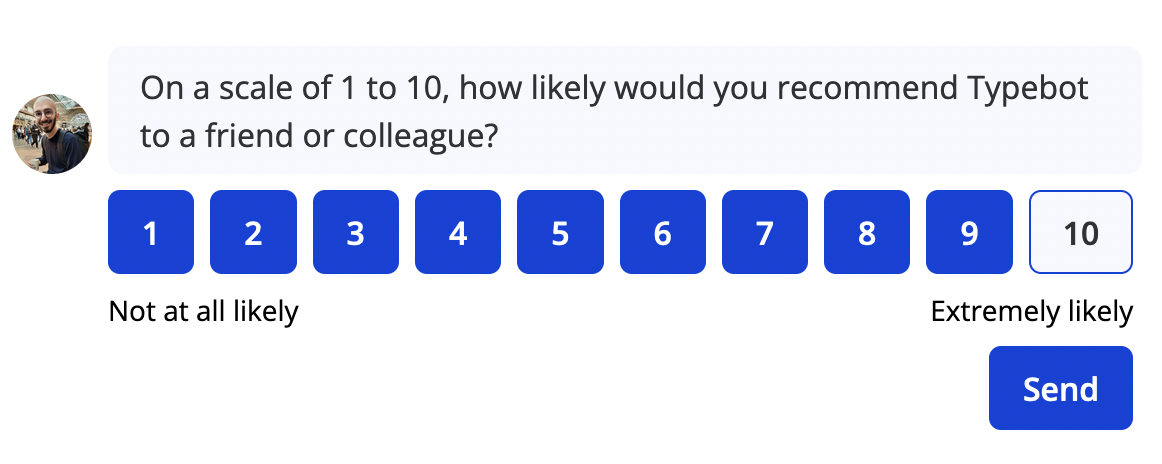
You could for example configure it so that it collects the Net promoter score:

<Tabs>
  <Tab title="Flow">
    <Frame style={{ maxWidth: '400px' }}>
      <img src="https://mintcdn.com/typebot/_A9p16JCEDI2EkLF/images/blocks/inputs/nps-flow.png?fit=max&auto=format&n=_A9p16JCEDI2EkLF&q=85&s=d371ef5652253f9dcb518d6004b2e8a3" alt="NPS configuration" className="rounded-lg w-12" width="986" height="1468" data-path="images/blocks/inputs/nps-flow.png" />
    </Frame>
  </Tab>

  <Tab title="Bot">
    <Frame>
      <img src="https://mintcdn.com/typebot/_A9p16JCEDI2EkLF/images/blocks/inputs/nps-bot.png?fit=max&auto=format&n=_A9p16JCEDI2EkLF&q=85&s=524003af444a3a9ee621fc90bd6cc869" alt="NPS in bot" className="rounded-lg" width="1162" height="464" data-path="images/blocks/inputs/nps-bot.png" />
    </Frame>
  </Tab>
</Tabs>

## Custom icon

To insert a custom icon, you'll need to insert SVG content. It should start with `<svg>` and end with `</svg>`. You can find great open-source icons on [Feather](https://feathericons.com/)