> ## Documentation Index
> Fetch the complete documentation index at: https://docs.typebot.com/llms.txt
> Use this file to discover all available pages before exploring further.
# Add a custom domain
Custom domains are available on the **Pro plan** and above. If you are on Free or Starter, the option will not appear in the Share tab. See the [pricing page](https://typebot.com/pricing) for details.
You can bind a custom domain to your typebot in the "Share" tab.
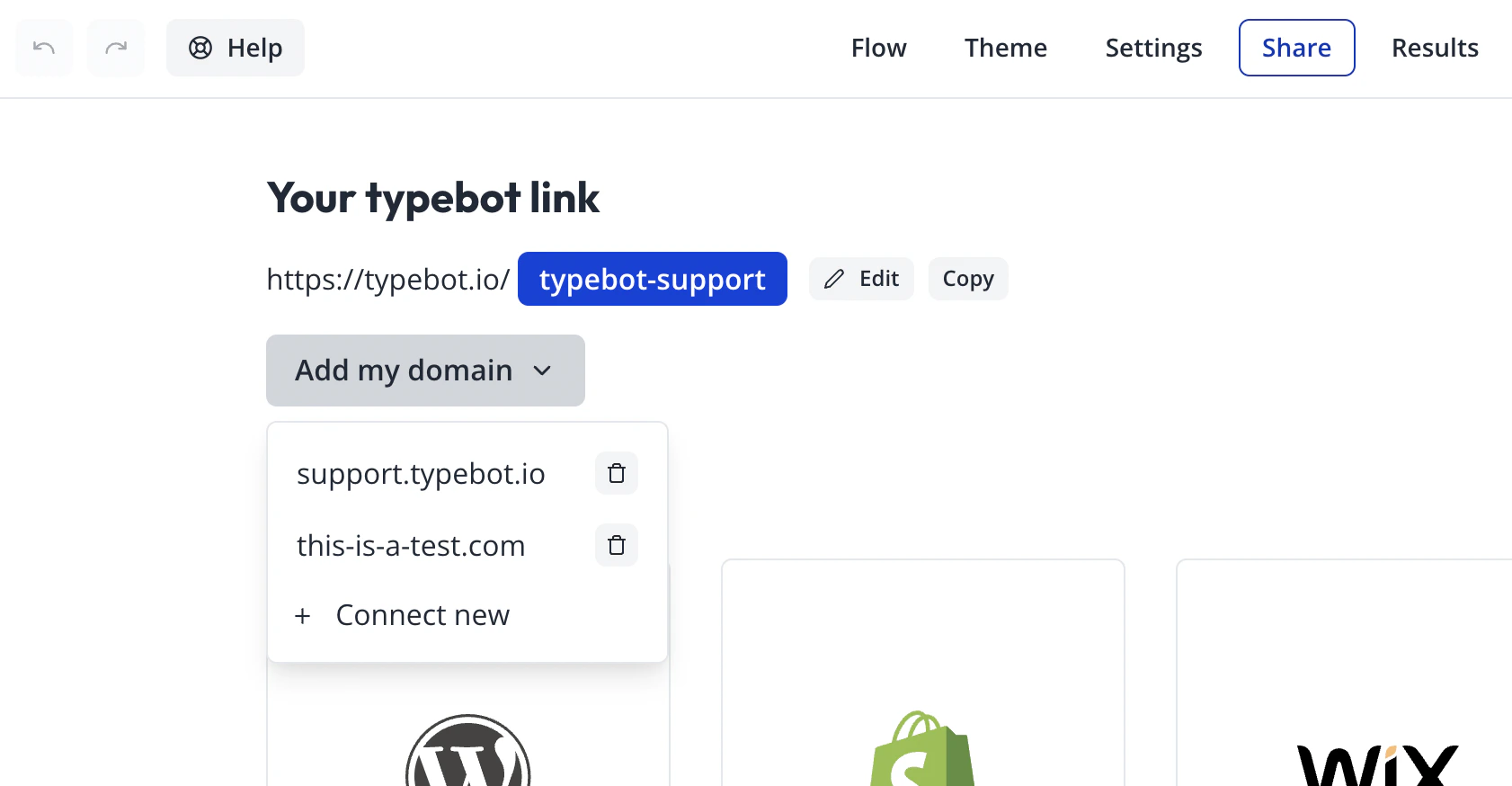 To connect a new domain, follow the instructions:
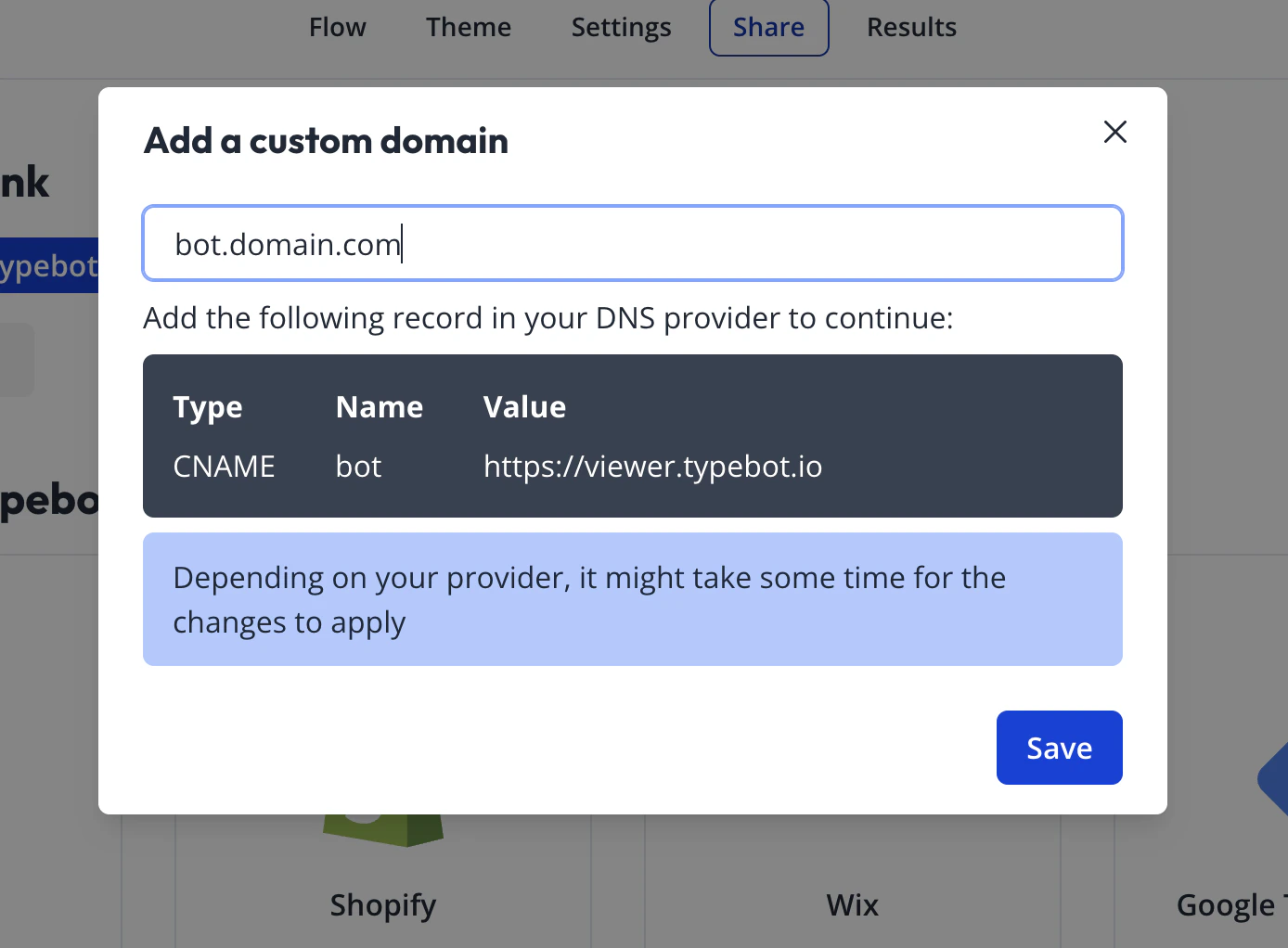 Once you've added the corresponding DNS record, click on the "Save" button. You might have to wait for a few minutes before the record is properly propagated.
## Troobleshooting
If your domain is not properly configured or verified, you will see this error icon next to your domain link:
Once you've added the corresponding DNS record, click on the "Save" button. You might have to wait for a few minutes before the record is properly propagated.
## Troobleshooting
If your domain is not properly configured or verified, you will see this error icon next to your domain link:
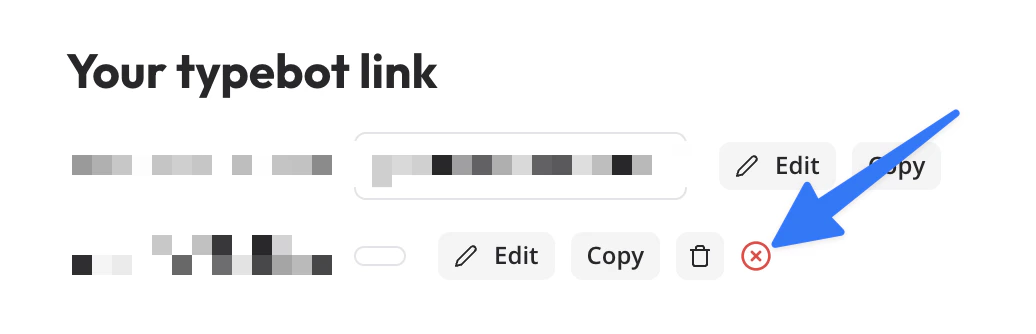 Make sure to click on it to see what is required to do to fix the issue.