> ## Documentation Index
> Fetch the complete documentation index at: https://docs.typebot.com/llms.txt
> Use this file to discover all available pages before exploring further.
# Block
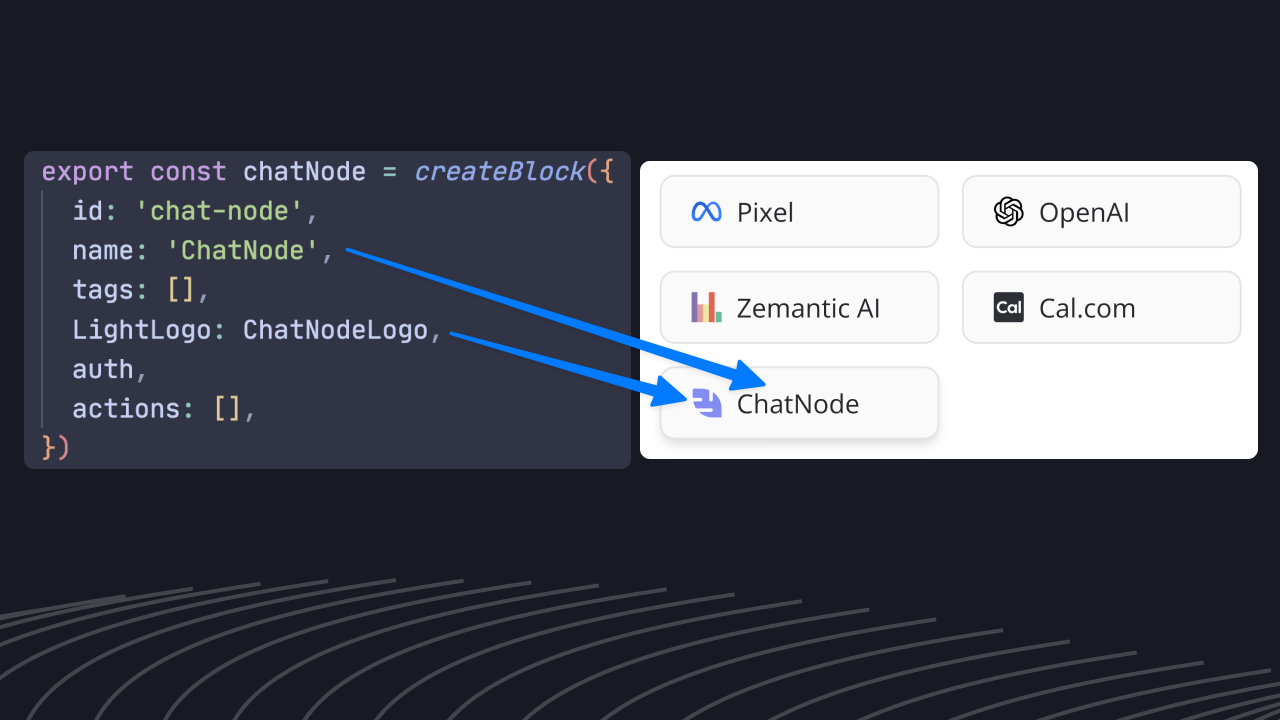
After using the [CLI](./cli) to create your new block. The `index.ts` file contains the block definition. It should look like:
 ## Props
The block ID. It should be unique all the other blocks.
A concise name for the block. Should be short enough to fit into a small block
card.
Logo used on the dark mode.
The full name that will be displayed as a tooltip when the mouse hovers the
block card.
List of strings describing the block. Used for block searching.
See Auth for more information.
A list of all the possible actions that this block provides. See{' '}
Action for more information
The dedicated documentation URL. (i.e.
`https://docs.typebot.io/editor/blocks/integrations/openai`)
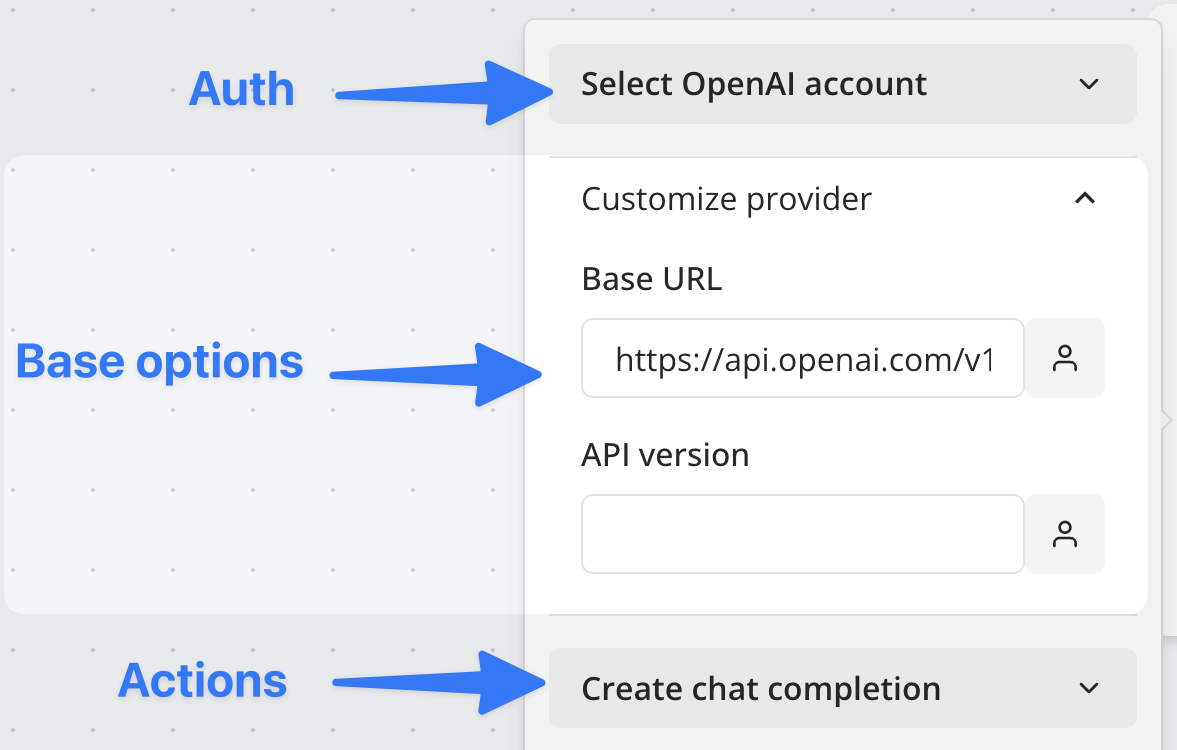
Provide it if all the block actions share the same properties. See{' '}
Options for more information. In the block settings it
will then be displayed between the auth and the actions:
{' '}
## Props
The block ID. It should be unique all the other blocks.
A concise name for the block. Should be short enough to fit into a small block
card.
Logo used on the dark mode.
The full name that will be displayed as a tooltip when the mouse hovers the
block card.
List of strings describing the block. Used for block searching.
See Auth for more information.
A list of all the possible actions that this block provides. See{' '}
Action for more information
The dedicated documentation URL. (i.e.
`https://docs.typebot.io/editor/blocks/integrations/openai`)
Provide it if all the block actions share the same properties. See{' '}
Options for more information. In the block settings it
will then be displayed between the auth and the actions:
{' '}
 A list of fetchers used in the provided
 options. See{' '}
Fetcher for more information.